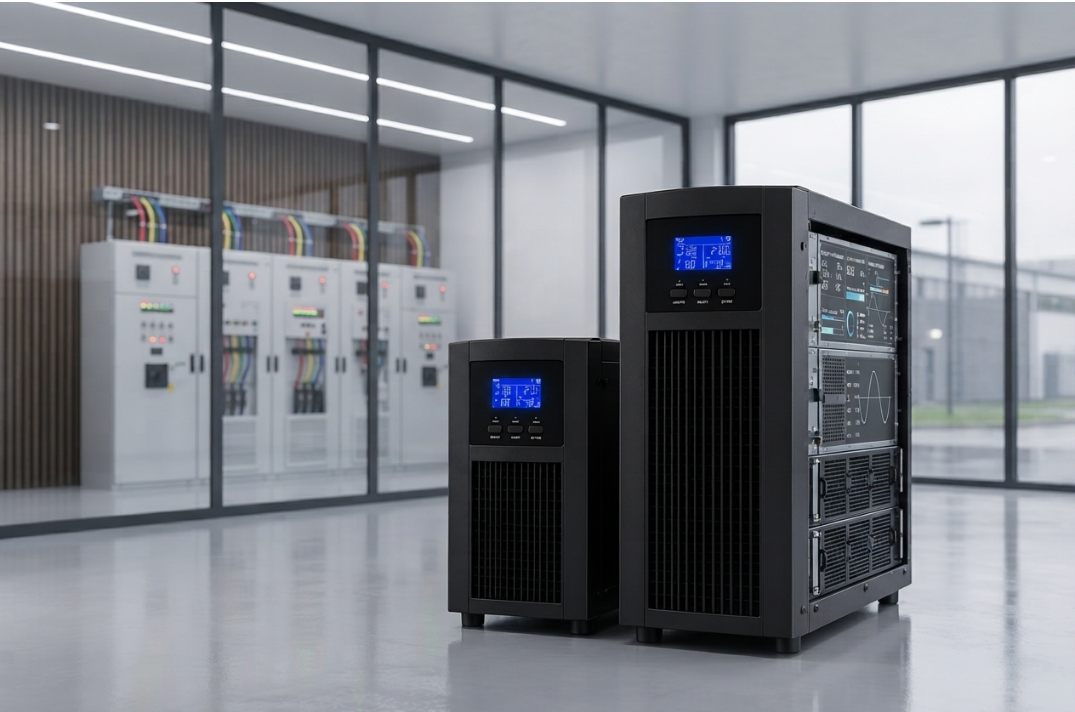

Businesses that depend on industrial machinery, servers, automation systems and critical electrical equipment need a reliable power backup strategy. However, choosing an uninterruptible power supply (UPS) involves more than selecting the required kVA rating. Equally important, businesses must determine how long the UPS can support the connected load when the mains supply fails.
Understanding battery backup time for a 3 phase online UPS helps facility managers estimate available runtime, plan controlled shutdowns and select a suitable battery bank. Moreover, accurate calculations can help prevent unexpected shutdowns, unnecessary battery expenditure and operational disruption.
A three-phase online UPS typically uses a battery bank to supply energy to its inverter during a power interruption. The available runtime depends on several factors, including battery voltage, ampere-hour capacity, connected load, conversion efficiency, battery condition and discharge characteristics. Therefore, a calculation based on battery capacity alone may produce an unrealistic result.
In this guide, we explain seven practical steps to calculate UPS battery backup time, demonstrate the calculation with an example and examine the factors that influence real-world performance. We also explain how to avoid common battery sizing mistakes when planning an industrial power protection system.
What Is Battery Backup Time for a 3 Phase Online UPS?
Battery backup time refers to the period for which a UPS can supply its connected load using stored battery energy after the mains supply becomes unavailable.
For a three-phase online UPS, the runtime depends primarily on the usable energy available from the battery bank and the power required by the connected equipment. Consequently, two UPS systems with similar kVA ratings can provide significantly different backup durations.
For example, one system may use a battery bank designed to support a critical load for 10 minutes, while another may have a larger battery bank intended to provide 60 minutes or more. The UPS rating alone does not establish the backup duration.
Businesses evaluating equipment requirements can review Bansal Hitech’s three-phase online UPS solutions to understand the relevant system category before planning battery capacity.
It is also important to distinguish between the UPS’s rated output capacity and the battery bank’s stored energy. The kW and kVA ratings determine how much electrical load the UPS can support within its operating limits. In contrast, battery capacity and discharge performance help determine how long that load can remain powered.
The Basic Formula for Calculating UPS Battery Backup Time
A simplified runtime formula is:
Backup time (hours) = Usable battery energy (Wh) ÷ Load power demand (W)
Battery energy can initially be estimated using:
Battery energy (Wh) = Battery voltage (V) × Battery capacity (Ah)
However, this initial energy figure does not represent all the energy that the UPS can deliver to the load. Battery discharge limits, inverter losses, temperature and battery ageing reduce the usable energy available in practice.
A more practical preliminary formula is:
Estimated backup time (hours) = Battery voltage × Battery capacity × Usable capacity factor × UPS efficiency ÷ Load power (W)
Where:
- Battery voltage (V): The nominal voltage of the complete battery bank.
- Battery capacity (Ah): The rated ampere-hour capacity of the battery bank.
- Usable capacity factor: The estimated proportion of nominal battery energy available under the assumed conditions.
- UPS efficiency: The conversion efficiency expressed as a decimal, such as 0.90 for 90%.
- Load power (W): The real power demanded by the connected equipment.
This formula provides a preliminary estimate rather than a guaranteed runtime. In particular, it does not fully model the effects of discharge rate, battery chemistry, voltage cut-off or temperature. Therefore, the manufacturer’s battery runtime tables or approved sizing software should determine the final battery configuration.
7 Steps to Calculate Battery Backup Time for a 3 Phase Online UPS
Step 1: Determine the Actual Load Connected to the UPS
The first step is to identify how much real power the UPS must supply during a power failure. Without this information, any runtime calculation will be unreliable.
Start by listing the equipment that requires backup. Depending on the application, this may include:
- Industrial automation controllers and PLCs
- CNC machine control systems
- Servers and storage equipment
- Networking and communication devices
- Security and monitoring systems
- Critical production controls
- Other essential electrical loads
Next, determine the operating power of each device. Where possible, use measured consumption or reliable manufacturer specifications instead of relying only on nameplate ratings.
For example, suppose a facility needs to support the following equipment:
| Equipment | Estimated power demand |
|---|---|
| Industrial control equipment | 2,000 W |
| Servers and communication devices | 1,500 W |
| Monitoring and auxiliary systems | 500 W |
| Total load | 4,000 W |
In this example, the total real-power demand is 4,000 W, or 4 kW.
However, the calculation should include only equipment that will remain connected during a power failure. If nonessential machinery can be shut down, excluding it may reduce the required battery capacity and improve the practicality of the backup design.
Furthermore, check whether the load changes significantly during operation. Motors, variable-speed drives and other equipment can introduce starting currents or sudden load increases that a simple average-power estimate may overlook.
Step 2: Confirm the UPS Output Power and Efficiency
After establishing the load, check the UPS’s rated output capacity and operating efficiency. Both are important because the UPS must support the required load while drawing additional energy to cover its own conversion losses.
For instance, assume the connected equipment requires 4,000 W and the UPS operates at 90% efficiency during battery operation.
The approximate battery-side power requirement is:
Battery-side power = Load power ÷ UPS efficiency
Therefore:
4,000 ÷ 0.90 = 4,444 W approximately
This means the battery system must deliver approximately 4,444 W to support a 4,000 W load under the assumed efficiency.
As a result, a calculation that divides battery energy directly by the output load without accounting for conversion losses may overestimate runtime.
However, efficiency is not always constant. It can vary according to the UPS model, load percentage, operating mode and temperature. For this reason, use the manufacturer’s efficiency data for the expected operating conditions rather than assuming that every system operates at its maximum published efficiency.
Businesses comparing different power protection requirements can also explore Bansal Hitech’s online UPS solutions when evaluating suitable UPS configurations.
Step 3: Identify the Battery Bank Voltage and Capacity
The third step is to establish the total nominal energy stored in the battery bank. For a preliminary calculation, multiply the battery bank’s DC voltage by its ampere-hour capacity.
Nominal battery energy (Wh) = Battery bank voltage (V) × Battery capacity (Ah)
Suppose the battery bank has the following specifications:
- Nominal battery bank voltage: 240 V
- Battery capacity: 100 Ah
The nominal stored energy is:
240 × 100 = 24,000 Wh
Therefore, the battery bank has a nominal energy capacity of 24 kWh.
Nevertheless, this does not mean that the UPS can deliver the full 24 kWh to its connected equipment. Some energy remains unavailable because of discharge limits, conversion losses and battery operating characteristics.
It is also essential to understand how the batteries are connected. Batteries connected in series increase the bank voltage, while parallel strings increase the available ampere-hour capacity when the configuration is correctly designed. The final calculation must use the total bank voltage and capacity for the actual arrangement.
Do not assume that the battery bank’s nominal voltage and capacity are interchangeable with the UPS’s AC output voltage or kVA rating. They describe different aspects of the power system.
Step 4: Estimate the Usable Battery Energy
Although the nominal battery energy provides a useful starting point, only a portion may be available under the required operating conditions. Consequently, the next step is to estimate usable battery energy.
A simplified calculation is:
Usable battery energy = Nominal battery energy × Usable capacity factor
Suppose the nominal battery energy is 24,000 Wh and, for illustration, the assumed usable capacity factor is 80%.
24,000 × 0.80 = 19,200 Wh
The estimated usable energy is therefore 19,200 Wh.
The 80% factor in this example is an assumption, not a universal value for UPS batteries. The actual usable capacity depends on battery chemistry, discharge rate, battery age, temperature, permitted depth of discharge and the UPS’s DC voltage limits.
For example, a battery may deliver a different proportion of its rated capacity when discharged rapidly than it does during a slower discharge. Similarly, an aged battery may provide less usable energy than a new battery with the same nameplate capacity.
Therefore, consult the battery manufacturer’s discharge data and the UPS manufacturer’s sizing method before finalising the design. If a specific runtime is mandatory, use the manufacturer’s approved calculation method instead of relying solely on a general percentage.
Step 5: Apply the UPS Efficiency Factor
Once the usable battery energy has been estimated, account for the energy lost during DC-to-AC conversion.
The preliminary calculation is:
Energy available to the load = Usable battery energy × UPS efficiency
Using the previous example, the usable battery energy is 19,200 Wh and the assumed UPS efficiency is 90%.
19,200 × 0.90 = 17,280 Wh
Therefore, the estimated energy delivered to the load is 17,280 Wh.
This calculation shows why nominal battery energy should not be treated as energy delivered directly to connected equipment. The UPS consumes some energy during conversion, and the amount depends on its design and operating conditions.
In addition, the calculation remains an approximation because the battery’s voltage and efficiency can change during discharge. The UPS may also stop discharging when the DC voltage reaches its operating limit.
For critical facilities, these limitations make manufacturer-provided runtime tables particularly important. They can account for discharge characteristics more accurately than a simple energy calculation.
Step 6: Calculate the Estimated Battery Backup Time
You can now estimate the backup duration by dividing the energy available to the load by the load’s real-power demand.
Backup time (hours) = Energy available to the load (Wh) ÷ Load power (W)
Using the example values:
- Nominal battery energy: 24,000 Wh
- Assumed usable capacity factor: 80%
- Assumed UPS efficiency: 90%
- Connected load: 4,000 W
First, calculate the usable battery energy:
24,000 × 0.80 = 19,200 Wh
Next, account for UPS efficiency:
19,200 × 0.90 = 17,280 Wh
Finally, calculate the estimated runtime:
17,280 ÷ 4,000 = 4.32 hours
The preliminary estimate is therefore 4.32 hours, or approximately 4 hours and 19 minutes.
However, this is an illustrative energy-based estimate, not a guaranteed runtime. The actual duration may be shorter because the calculation does not fully account for battery discharge curves, voltage decline, temperature, ageing or other operating limitations.
For that reason, do not use this result as the final design value for a critical application. Instead, verify the expected runtime against the manufacturer’s approved battery sizing data for the specified load and operating conditions.
Step 7: Validate the Result Against Real Operating Conditions
The final step is to check whether the calculated runtime matches the site’s actual requirements. Even a mathematically correct preliminary estimate can be unsuitable if it ignores environmental conditions, battery ageing or load changes.
Review the following factors before approving the battery configuration:
Battery age and condition: Older batteries may deliver less energy than new batteries. Consequently, the design should account for the required service life and replacement plan.
Operating temperature: Temperatures outside the recommended range can affect battery performance and service life. Therefore, confirm that the installation environment meets the manufacturer’s requirements.
Discharge rate: A high load can reduce the usable capacity available from some battery types. In contrast, lower discharge rates may allow a greater proportion of rated capacity to be used.
Battery voltage limits: The UPS may stop discharging when the DC voltage reaches its configured limit. As a result, some nominal battery energy may remain unavailable to the load.
Load growth: If additional equipment is likely to be connected later, the present calculation may no longer represent the future power demand.
Required shutdown time: Some applications need enough runtime to complete a controlled shutdown rather than maintain operation for an extended period. Therefore, define the backup objective before finalising the battery bank.
Redundancy requirements: Critical applications may need a backup design that accounts for maintenance, component failures or a defined availability target.
After reviewing these conditions, ask a qualified UPS supplier or electrical engineer to validate the battery sizing. Where possible, use the manufacturer’s runtime tables or approved sizing software and document the assumptions behind the calculation.
For facilities with servers and critical IT workloads, battery runtime should also be considered alongside the wider data centre solutions required to support power continuity and infrastructure availability.
How Does Load Demand Affect UPS Battery Backup Time?
Load demand is one of the most important variables in a UPS runtime calculation. Generally, as the connected load increases, the battery bank must deliver energy more quickly, which reduces the available backup duration.
Consider a simplified example in which the battery system can deliver 12,000 Wh of usable energy to the load.
| Connected load | Preliminary runtime |
|---|---|
| 2,000 W | 6 hours |
| 3,000 W | 4 hours |
| 4,000 W | 3 hours |
| 6,000 W | 2 hours |
These figures are based on simple energy division and assume that the stated usable energy remains constant at every load. Actual battery performance may differ because discharge rate affects usable capacity.
Nevertheless, the example demonstrates why businesses should identify their critical load before selecting the battery bank. Reducing unnecessary loads can improve runtime without requiring a larger battery installation.
For example, a server room may need to maintain servers, storage and networking equipment while shutting down nonessential devices. Similarly, an industrial facility may need to protect PLCs and control panels without running every production motor during a power failure.
Consequently, a carefully defined critical load can make the UPS design more practical and cost-effective.
Common Mistakes When Calculating Battery Backup Time
Several calculation errors can result in unrealistic runtime expectations. Avoiding them helps businesses develop a more dependable power backup plan.
Using Only the UPS kVA Rating
The UPS’s kVA rating describes apparent power capacity, not the energy stored in its battery bank. Therefore, two UPS systems with the same kVA rating may have different battery backup durations.
Ignoring Conversion Losses
Battery energy is not delivered to the load with perfect efficiency. As a result, calculations that ignore conversion losses can overestimate the runtime.
Treating Nominal Battery Energy as Fully Usable
The full nominal energy may not be available under actual discharge conditions. Battery voltage limits, discharge rate and manufacturer specifications must be considered.
Assuming All Batteries Have the Same Performance
Battery chemistry, capacity, age, temperature and discharge characteristics influence usable energy. Consequently, a generic runtime estimate should not replace battery-specific data.
Ignoring Future Load Changes
Adding equipment increases power demand and can reduce backup duration. Therefore, include realistic growth expectations when planning the system.
Selecting Batteries Without Checking Compatibility
The battery bank must match the UPS’s permitted DC voltage, charging characteristics and configuration requirements. Otherwise, the installation may fail to deliver the intended performance or may create safety and reliability problems.
Failing to Validate the Calculation
A basic formula provides an initial estimate, but critical applications require a more reliable design method. Finally, validate the expected runtime with the manufacturer’s data and have qualified personnel confirm the proposed configuration.
How to Improve Battery Backup Planning for Industrial Applications
Accurate battery calculations are only one part of a dependable power protection strategy. Businesses should also consider the equipment being protected, the required shutdown process and the conditions in which the UPS operates.
First, distinguish essential equipment from noncritical loads. Next, establish the minimum runtime required for each critical load group. This helps the design team size the battery bank according to actual operational needs.
In addition, review the installation space, battery cabinet arrangement, ventilation, cable routing and maintenance access. These factors influence the practicality of the installation and can affect long-term serviceability.
Facilities with extensive communication and server equipment should also assess the wider network infrastructure. For example, UPS runtime planning for a server room may need to include critical switches, routers and communication devices; related requirements can be considered alongside Bansal Hitech’s networking and IT infrastructure solutions.
Furthermore, businesses should establish a maintenance plan that includes battery inspections, alarm reviews and appropriate performance testing. Regular monitoring can help identify battery deterioration before it significantly affects the available runtime.
For temporary requirements, equipment trials or projects with limited duration, businesses may also evaluate whether online UPS rental is suitable for their operational needs.
Finally, document the assumptions used in the runtime calculation, including load demand, battery condition, efficiency and environmental conditions. This record provides a useful baseline for future maintenance and capacity reviews.
Frequently Asked Questions
1. What Is the Formula for Calculating UPS Battery Backup Time?
A simplified formula is:
Backup time (hours) = Usable battery energy (Wh) ÷ Load power (W)
For a preliminary estimate, usable battery energy can be calculated from battery voltage, ampere-hour capacity, an appropriate usable capacity factor and UPS efficiency. However, final sizing should follow manufacturer-approved runtime data.
2. Does a Higher kVA Rating Mean Longer Battery Backup?
No. A higher kVA rating does not automatically mean a larger battery bank. Instead, runtime depends on usable battery energy, the connected load and the UPS’s operating characteristics.
3. How Do I Calculate Battery Energy in Watt-Hours?
Multiply the nominal battery bank voltage by its ampere-hour capacity:
Battery energy (Wh) = Voltage (V) × Capacity (Ah)
This gives nominal energy, not necessarily the amount available to the load during a real power failure.
4. Why Is My Actual UPS Runtime Lower Than the Calculated Value?
Actual runtime can be lower because of battery ageing, high discharge rates, temperature, conversion losses, voltage cut-off limits or higher-than-expected load demand. Therefore, compare actual performance with manufacturer data and arrange a battery assessment if runtime falls unexpectedly.
5. How Can I Increase UPS Battery Backup Time?
Possible approaches include reducing nonessential load, using a compatible larger battery bank, maintaining the batteries correctly and ensuring that the system operates within recommended environmental limits. However, any battery expansion must comply with the UPS manufacturer’s voltage, charging and configuration requirements.
6. Can I Use the Same Calculation for Every Battery Type?
The basic energy formula can provide a preliminary estimate, but different battery technologies have different discharge characteristics and operating limits. Consequently, use battery-specific data and the UPS manufacturer’s approved sizing method.
7. Should Battery Backup Time Be Calculated at Full UPS Load?
Calculate runtime at the load the UPS is expected to support during a power failure. If the critical load is lower than the UPS’s full rated capacity, use the actual expected demand. However, also consider any future load growth or peak demand that the system must support.
Conclusion
Calculating battery backup time for a 3 phase online UPS requires more than multiplying battery voltage by ampere-hour capacity. A dependable estimate must also account for the actual load, usable battery energy, UPS efficiency, battery discharge characteristics and the conditions in which the system operates.
The seven-step process in this guide provides a structured starting point: identify the critical load, confirm UPS efficiency, calculate nominal battery energy, estimate usable energy, account for conversion losses, calculate preliminary runtime and validate the result against manufacturer data.
Ultimately, a preliminary formula should support—not replace—the final engineering assessment. Before purchasing or expanding a battery bank, confirm the required runtime with the UPS manufacturer or a qualified supplier. This helps ensure that the selected configuration meets the application’s electrical requirements and operational objectives.
Businesses can find additional product information on the Bansal Hitech website and explore the company’s blog and technical articles for further information about power protection and related infrastructure.